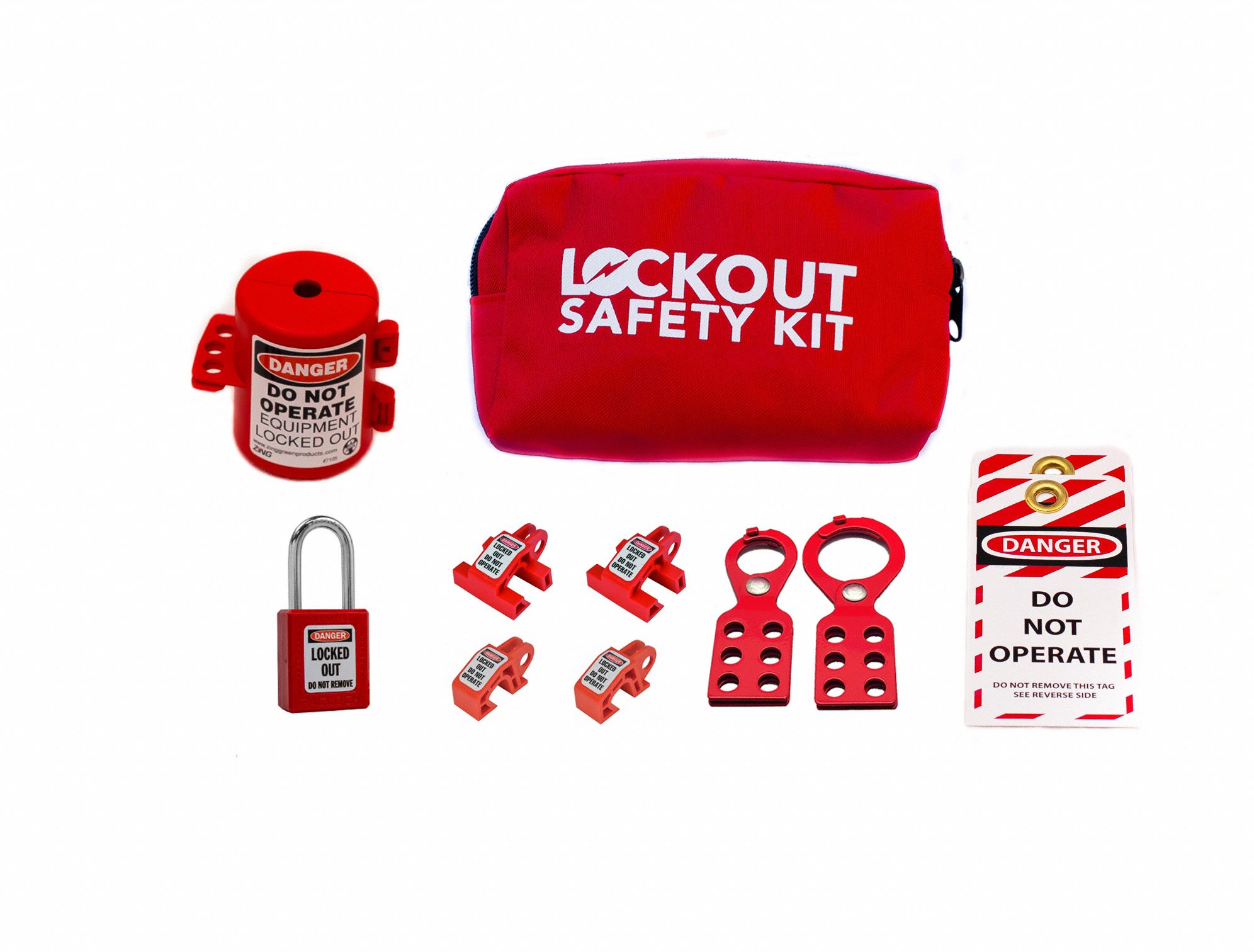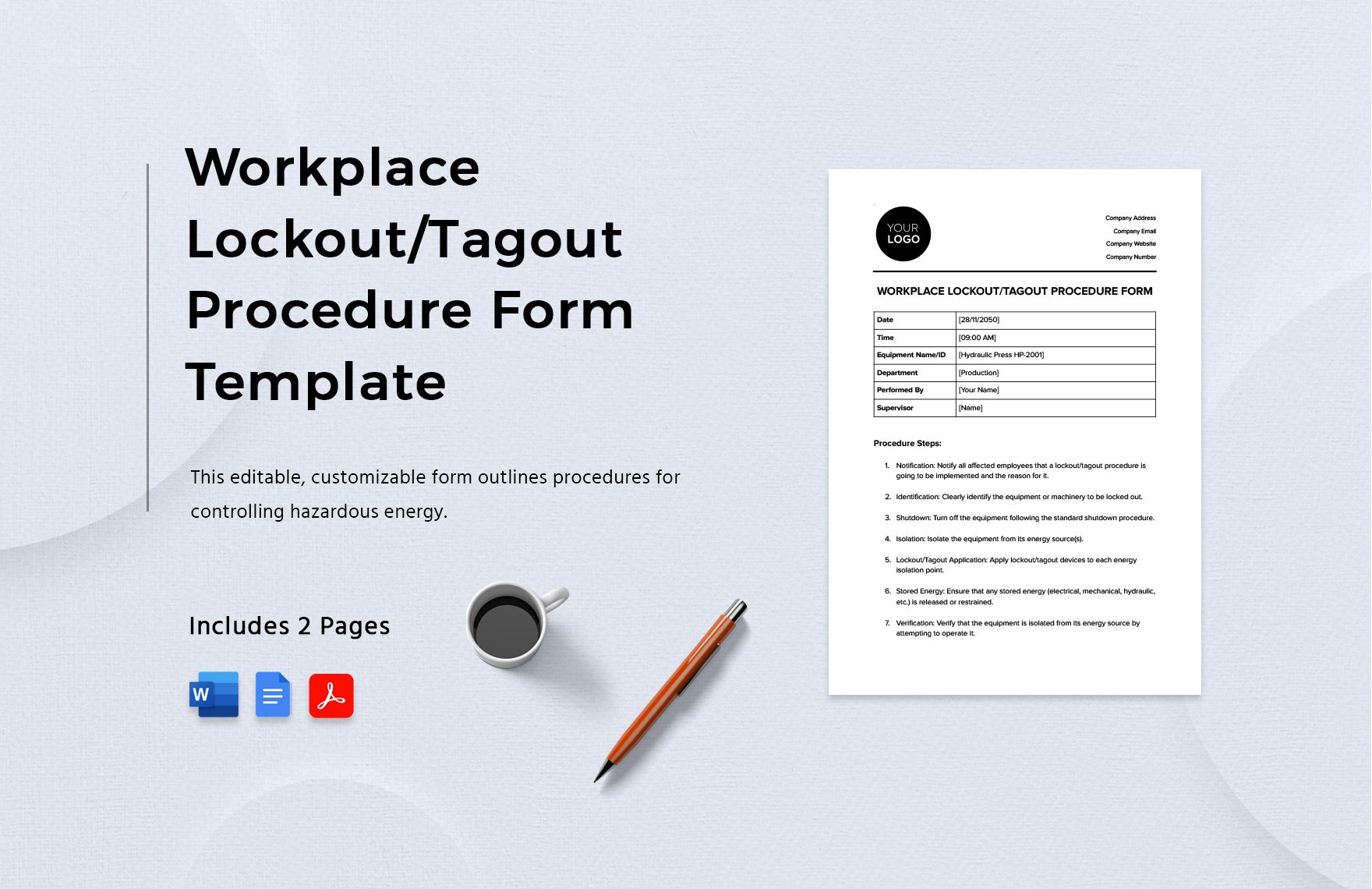
Equipment servicing and maintenance carry inherent risks. One misstep—like restarting a machine during repair—can lead to severe injury or worse. That’s where lockout tagout (LOTO) procedures come in. Central to those procedures? The lockout tagout log form. It’s not just paperwork—it’s a critical control document that tracks every isolation, verifies accountability, and protects workers.
Yet many facilities treat the LOTO log as an afterthought—filled out inconsistently, stored poorly, or skipped entirely. That’s a compliance risk and a safety hazard. This guide breaks down exactly what a lockout tagout log form should include, how to use it effectively, and common pitfalls to avoid.
Why the Lockout Tagout Log Form Isn’t Optional
OSHA’s standard 29 CFR 1910.147 mandates the use of energy control procedures during servicing of machines. While the regulation doesn’t explicitly require a log form, it does require documentation of each application of lockout/tagout—and that’s where the log becomes essential.
Without a log: - You can’t prove compliance during audits. - There’s no accountability for who applied or removed locks. - There’s increased risk of missed steps or unauthorized re-energization.
Think of the LOTO log as a legal and operational record—like a flight log for maintenance work. Every entry tells a story: who locked out, when, why, and how it was cleared.
Key Elements of an Effective LOTO Log Form
A good form isn’t cluttered. It captures the right data without slowing down technicians. Here are the non-negotiable fields every lockout tagout log should include:
#### 1. Equipment Identification Exact machine name, ID number, or location. Avoid vague terms like “conveyor line” unless paired with a specific identifier (e.g., “Conveyor Line 3 – Packaging Area”).
#### 2. Date and Time of Lockout Precision matters. Include both the time lockout was initiated and (when applicable) when it was cleared.
#### 3. Authorized Employee Name and Signature Only trained, authorized personnel can apply locks. Their name and signature confirm responsibility.
#### 4. Type of Energy Isolated List all energy sources: electrical, hydraulic, pneumatic, mechanical, chemical, thermal. Be specific—“240V main disconnect” beats “power off.”
#### 5. Lock and Tag Numbers Used Each lock should have a unique ID. Logging these allows for reconciliation—ensuring every lock is accounted for before restart.
#### 6. Reason for Lockout Brief description: “Replace drive belt,” “Clean jam in feeder,” etc. This helps supervisors verify the scope and plan accordingly.
#### 7. Time and Signature for Release Before re-energizing, the same employee (or properly trained relief) must sign off. Never allow someone else to remove another’s lock.
#### 8. Supervisor Verification (Optional but Recommended) For high-risk tasks, supervisor sign-off adds a layer of oversight and reinforces protocol.
Common Mistakes That Undermine LOTO Logs
Even facilities with log forms make errors that compromise safety and compliance.

- Blank or incomplete entries: A log with missing times or unsigned releases is worse than no log—it creates false confidence.
- Backdating entries: Logging after the fact defeats the purpose. Entries must be real-time.
- Shared lock IDs: If five technicians use “Lock #1,” you lose traceability. Each lock must be uniquely identifiable.
- Using generic forms: A single form for all equipment often misses critical details. Customize for high-risk machines.
- Storing logs digitally without access: If the log is in a cloud system but the maintenance bay has no Wi-Fi, it’s useless. Match format to field conditions.
Pro tip: Conduct monthly audits of LOTO logs. Look for patterns—missing signatures, inconsistent timing, or repeated errors on certain machines.
Paper vs. Digital LOTO Log Forms: What Works Best?
The format of your LOTO log impacts usability and compliance. Here’s a breakdown of both approaches:
| Feature | Paper Logs | Digital Logs |
|---|---|---|
| Accessibility | Always available, no tech needed | Requires device and power |
| Real-time updates | Delayed (manual entry) | Instant sync across teams |
| Audit trail | Hard to track edits | Version history and timestamps |
| Storage and retrieval | Bulky, risk of loss | Searchable, cloud-backed |
| Integration | None | Can link to CMMS, safety software |
Best use cases: - Paper: Remote sites, small teams, low-tech environments. - Digital: Large facilities, regulated industries, or those using CMMS (Computerized Maintenance Management Systems).
Many companies now use hybrid models—tablet-based forms in docking stations near high-risk machines, with printed backups during outages.
5 Tools That Improve LOTO Log Management For facilities ready to upgrade from binders and clipboards, these platforms streamline LOTO logging with built-in compliance tracking.
- Fiix by Rockwell Automation
- - Cloud-based CMMS with LOTO workflow integration
- - Custom log templates and automated reminders
- - Best for: Mid to large manufacturers
- MaintainX
- - Mobile-first platform with real-time LOTO logs
- - Supports checklists, photo uploads, and digital signatures
- - Ideal for: Field teams and multi-site operations
- UpKeep
- - User-friendly interface with barcode scanning for lock IDs
- - Tracks lock usage and technician certification
- - Great for: Facilities prioritizing ease of adoption
- eCompliance
- - Focus on safety compliance with audit-ready reporting
- - Includes LOTO, PPE, and incident tracking
- - Suited for: Regulated industries (pharma, energy)
- SafetyChain
- - Real-time monitoring and alerts for open lockouts
- - Integrates with SCADA and plant floor systems
- - Strong fit for: Food processing and continuous manufacturing
These tools don’t eliminate the need for training—but they reduce human error and create enforceable accountability.
Real-World Example: How a LOTO Log Prevented a Near-Miss
At a Midwest automotive parts plant, a technician began servicing a hydraulic press. He applied his lock, logged it with time, equipment ID, and energy sources. An hour later, a shift supervisor noticed the machine was still down and asked an operator to restart it.
The operator checked the LOTO log—required by site policy—before proceeding. The log showed one active lockout, with a pending release. A quick radio call confirmed the technician was still inside the guard zone. Restart was halted.
Without the log, the supervisor’s instruction could have led to catastrophe. The form didn’t just document safety—it enforced it.

When the Log Isn’t Enough: Pairing Forms with Training
A flawless log form means nothing without trained personnel. OSHA requires annual retraining for authorized employees—and the log is a tool, not a substitute.
Use your LOTO log during training sessions: - Walk new hires through real entries. - Simulate release scenarios where a missing signature blocks restart. - Review past log errors as case studies.
Also, review logs during safety meetings. Ask: - Are entries consistent? - Are high-risk machines getting proper attention? - Are releases happening in the right order?
This turns compliance into culture.
Designing Your Own LOTO Log Template
Need to create a custom form? Follow this workflow:
- Audit your equipment: List high-risk machines and their energy sources.
- Map your process: Document each step from shutdown to restart.
- Draft the log: Include the eight key elements above.
- Test it: Have technicians use it during a maintenance cycle.
- Refine: Remove redundant fields, clarify ambiguous terms.
- Standardize and distribute: Print or deploy digitally with clear instructions.
Keep it simple. A one-page form with checkboxes and clear fields beats a five-page document no one reads.
Closing: Make the LOTO Log Part of Your Safety DNA
The lockout tagout log form isn’t bureaucracy. It’s a living document that protects people, proves compliance, and strengthens operational discipline. Whether on paper or in an app, every entry is a checkpoint—a moment to pause, verify, and proceed safely.
Don’t treat it as a formality. Audit it. Train with it. Improve it. When your team sees the log not as paperwork but as protection, you’ve built something far more valuable than compliance: a culture where safety is non-negotiable.
Start today. Review your current LOTO logs. Are they complete? Accessible? Trusted? If not, redesign them—because in high-risk environments, the right form can be the difference between a routine repair and a preventable tragedy.
Frequently Asked Questions
What is a lockout tagout log form used for? It documents each application of lockout/tagout during equipment maintenance, providing a record of who locked out, when, and for what purpose.
Is a LOTO log required by OSHA? OSHA doesn’t mandate a specific log form, but it requires documentation of each lockout event—making a log essential for compliance.
Who should fill out the LOTO log? Only authorized employees trained in energy control procedures should complete the form.
Can digital LOTO logs replace paper ones? Yes, if they ensure real-time access, prevent unauthorized edits, and are available at the point of use.
How long should LOTO logs be kept? OSHA doesn’t specify retention time, but best practice is at least one year—or longer for high-risk or regulated environments.
Should contractors use the same LOTO log? Yes. Contractors must follow your LOTO procedures and be included in the log with their lock IDs and signatures.
Can one log cover multiple machines? Only if the lockout applies to all simultaneously. Otherwise, each machine needs its own documented entry to avoid confusion.
FAQ
What should you look for in Lockout Tagout Log Form Essentials for Compliance? Focus on relevance, practical value, and how well the solution matches real user intent.
Is Lockout Tagout Log Form Essentials for Compliance suitable for beginners? That depends on the workflow, but a clear step-by-step approach usually makes it easier to start.
How do you compare options around Lockout Tagout Log Form Essentials for Compliance? Compare features, trust signals, limitations, pricing, and ease of implementation.
What mistakes should you avoid? Avoid generic choices, weak validation, and decisions based only on marketing claims.
What is the next best step? Shortlist the most relevant options, validate them quickly, and refine from real-world results.