Every year, hundreds of workers suffer serious injuries during equipment maintenance—all because proper lockout tagout (LOTO) procedures weren’t followed. The culprit? Often, it’s not a lack of training or awareness, but a failed inspection process. Without a structured lockout tagout inspection form PDF, even well-designed safety programs fall apart during audits or real-world application.
An effective LOTO inspection form isn’t just paperwork—it’s proof. It proves that energy control procedures are being reviewed, employees understand their roles, and machines are safe to service. And when that form is delivered as a downloadable, fillable PDF, compliance becomes faster, more consistent, and easier to track.
This guide breaks down what makes a lockout tagout inspection form PDF truly effective, where to find reliable templates, and how to implement them across your operation.
Why a Lockout Tagout Inspection Form PDF Matters
OSHA standard 29 CFR 1910.147 requires that lockout tagout procedures be inspected at least annually. This isn’t a suggestion—it’s a legal mandate. But the regulation doesn’t prescribe a specific format. That’s where the inspection form PDF comes in.
A well-structured form ensures:
- Consistency: Every inspection covers the same critical points.
- Accountability: Both the inspector and authorized employee sign off.
- Audit readiness: Digital or printed copies serve as verifiable records.
- Training reinforcement: The review process educates employees on procedures.
Without a standardized form, inspections become subjective, incomplete, or undocumented—opening the door to non-compliance and liability.
Example: A manufacturing plant in Ohio was fined $74,000 after a worker lost two fingers during maintenance. Investigation revealed LOTO procedures existed—but no inspection records for 14 months. No form, no proof.
A lockout tagout inspection form PDF closes that gap. It’s a portable, professional tool that aligns with regulatory demands and operational reality.
What to Include in a LOTO Inspection Form
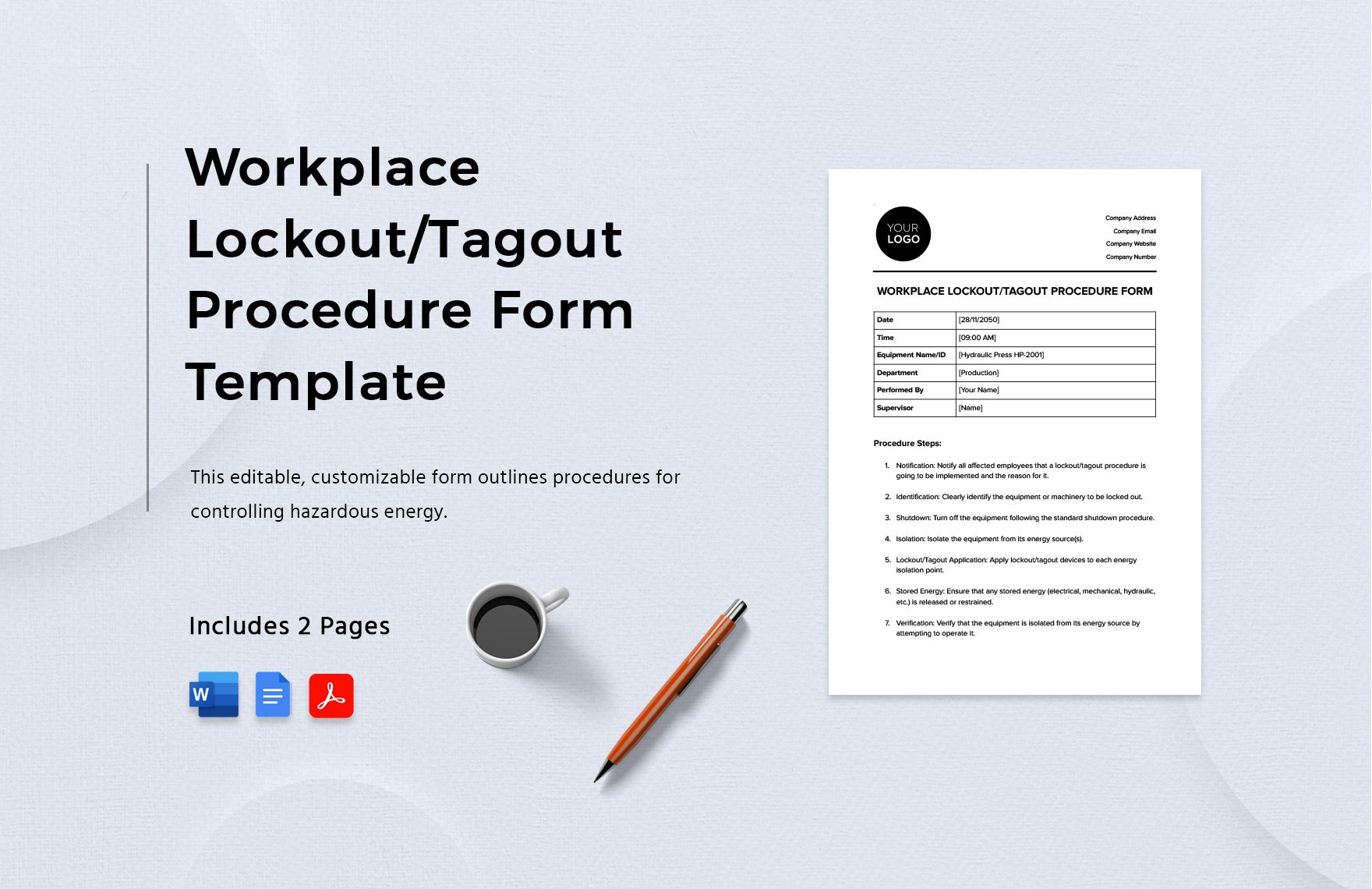
A generic checklist won’t cut it. Your form must reflect the complexity of real-world machinery and procedures. Use these core sections in any lockout tagout inspection form PDF:
1. Equipment & Procedure Details
- Machine name and ID
- Location
- Energy sources (electrical, hydraulic, pneumatic, thermal, etc.)
- Specific LOTO procedure number or reference
2. Inspection Information
- Date of inspection
- Name and role of inspector
- Name of authorized employee involved
- Shift or department
3. Procedure Evaluation
- Does the written procedure match actual steps?
- Are all energy isolation points identified?
- Are lockout devices properly applied?
- Is tagout used only when locks aren’t feasible?
4. Employee Knowledge Check
- Can the employee explain the purpose of LOTO?
- Do they know how to isolate energy sources?
- Are they aware of the consequences of early re-energization?
5. Corrective Actions
- List deficiencies
- Assign responsibility for fixes
- Deadline for resolution
- Follow-up verification
6. Sign-Off Section
- Inspector signature
- Employee signature
- Optional: Supervisor approval
Pro Tip: Use checkboxes and drop-down fields in your PDF to make digital completion seamless. Adobe Acrobat or free tools like PDFescape can convert static forms into fillable ones.
Common Mistakes in LOTO Inspections (And How to Avoid Them)
Even with a form, inspections fail due to recurring errors. Avoid these pitfalls:
Mistake 1: Using the Same Form for All Machines A forklift and a conveyor system have different energy risks. A blanket form won’t capture nuances. Fix: Customize or append machine-specific sections.
Mistake 2: Skipping Employee Involvement OSHA requires that the inspection involve both the inspector and an authorized employee. Fix: Build dual-signature fields into the form. Never let the inspector sign alone.
Mistake 3: Treating It as a Paper Exercise If the inspector never observes a lockout, it’s not an inspection—it’s a desk review. Fix: Require live demonstration during the audit.
Mistake 4: Failing to Track Corrective Actions Finding issues is useless if they’re never fixed. Fix: Add a corrective action log with status tracking (Open, In Progress, Closed).
Mistake 5: Not Revising Procedures
After Inspection If the form shows a flawed steps, the procedure document must be updated. Fix: Link inspection results to a change control process.
5 Reliable Sources for Lockout Tagout Inspection Form PDFs
You don’t need to build a form from scratch. These sources offer professionally designed, OSHA-aligned templates:
| Source | Format | Customizable? | Best For |
|---|---|---|---|
| OSHA.gov | Yes | Regulatory accuracy | |
| NIOSH Workplace Solutions | PDF + Guide | Yes | Best practice integration |
| Creative Safety Supply | Fillable PDF | Yes | Quick deployment |
| SafetySkills (via download) | Editable PDF & Word | Yes | Training integration |
| Grainger Safety Hub | Limited | Facilities with standard equipment |
Notable Features to Look For:
- Fillable fields for digital use
- Machine-specific sections
- Corrective action tracking
- Dual signature lines
- Multilingual options (if needed)
Real-World Use Case: A food processing plant reduced LOTO violations by 68% in six months after switching to a fillable PDF with automated reminders for annual reviews.
Avoid random blog templates. Stick to sources with clear OSHA alignment and professional design.
How to Implement a Digital LOTO Inspection Workflow
A PDF isn’t just for printing. Use it to modernize your safety program:
Step 1: Select a Master Template Choose or adapt a form that fits your equipment mix.
Step 2: Convert to Fillable PDF Use Acrobat Pro or free tools like Sejda or PDFescape.
Step 3: Distribute to Maintenance Teams Store on shared drives, CMMS platforms, or mobile devices.
Step 4: Schedule Annual Reviews Sync with maintenance calendars or EAM systems.
Step 5: Archive and Audit Save completed forms by date, machine, and inspector. Enable search.
Workflow Tip: Pair your lockout tagout inspection form PDF with a QR code system. Attach a QR tag to each machine. Scan it, pull up the form, complete it on a tablet—no paper, no lost records.
This digital shift reduces errors, speeds up reporting, and strengthens compliance during OSHA visits.
What OSHA Looks for in a LOTO Inspection
During an audit, compliance officers don’t just ask for forms—they ask for proof of effectiveness.
They’ll check: - Is the inspection conducted annually? - Does it include an authorized employee? - Are deficiencies corrected? - Is the written procedure accurate and up to date?
Your lockout tagout inspection form PDF must answer all four.
Red Flag: If your form only logs a “pass/fail” with no employee comments or corrective actions, it won’t satisfy OSHA.
Include narrative fields where inspectors can note observations. A simple line like _“Employee confused about secondary hydraulic release—retrained on-site”_ demonstrates due diligence.
Also, retain records for at least one year. Longer retention (3–5 years) is smarter for trend analysis and legal protection.
Customizing Your LOTO Inspection Form for Different Industries
One size doesn’t fit all. Adapt your lockout tagout inspection form PDF for industry-specific risks:
Manufacturing Focus on multi-energy machines, frequent maintenance, and shift changes. Add fields for: - Number of energy sources isolated - Group lockout box use - Shift handover verification
Healthcare Medical equipment (e.g., MRI, sterilizers) often has unique lockout needs. Include:
- Vendor-specific procedures
- Radiation or cryogenic risks
- Biomedical technician role
Construction Mobile equipment and temporary setups require flexibility. Highlight:
- Field-modified lockout points
- Weather impact on devices
- Short-term job validity
Utilities High-voltage and remote sites demand precision. Add:
- Remote lockout verification
- Communication protocol checks
- Emergency override review
Tailoring your form increases relevance and compliance.
Final Recommendations: Turning PDFs into Protection
A lockout tagout inspection form PDF is more than a document—it’s a defense mechanism. It protects workers, shields your organization from fines, and strengthens safety culture.
But a form alone isn’t enough. Pair it with:
- Regular employee training
- Visible management support
- Real-time access to forms on the floor
- A process for continuous improvement
Download a trusted template today. Customize it. Deploy it. Inspect it. Repeat—every year, every machine, every time.
Because when a machine powers on unexpectedly, the difference between safety and tragedy isn’t luck. It’s paperwork done right.
Frequently Asked Questions
What is the purpose of a lockout tagout inspection form? It documents the annual review of LOTO procedures, ensuring compliance with OSHA and verifying employee understanding and procedure accuracy.
Do I need a separate form for each machine? Not necessarily, but each machine’s inspection should be documented individually, even if using a master template.
Can I use a digital form instead of paper? Yes. Fillable PDFs or mobile apps are acceptable as long as they’re secure, signed, and retrievable.
Who can perform a LOTO inspection? A designated safety officer, supervisor, or qualified person—but they must involve an authorized employee who uses the procedure.
How long should I keep completed forms? At least one year. However, keeping them for 3–5 years is recommended for audit trails and trend analysis.
Are free LOTO inspection form PDFs reliable? Some are. Stick to templates from OSHA, NIOSH, or reputable safety suppliers. Avoid unverified third-party blogs.
What happens if I don’t conduct LOTO inspections? You risk OSHA citations, fines (up to $15,625 per violation), and increased workplace injury risk.
FAQ
What should you look for in Lockout Tagout Inspection Form PDF Guide & Free Templates? Focus on relevance, practical value, and how well the solution matches real user intent.
Is Lockout Tagout Inspection Form PDF Guide & Free Templates suitable for beginners? That depends on the workflow, but a clear step-by-step approach usually makes it easier to start.
How do you compare options around Lockout Tagout Inspection Form PDF Guide & Free Templates? Compare features, trust signals, limitations, pricing, and ease of implementation.
What mistakes should you avoid? Avoid generic choices, weak validation, and decisions based only on marketing claims.
What is the next best step? Shortlist the most relevant options, validate them quickly, and refine from real-world results.